AI Video Ads: How Do You Make One That Actually Converts?
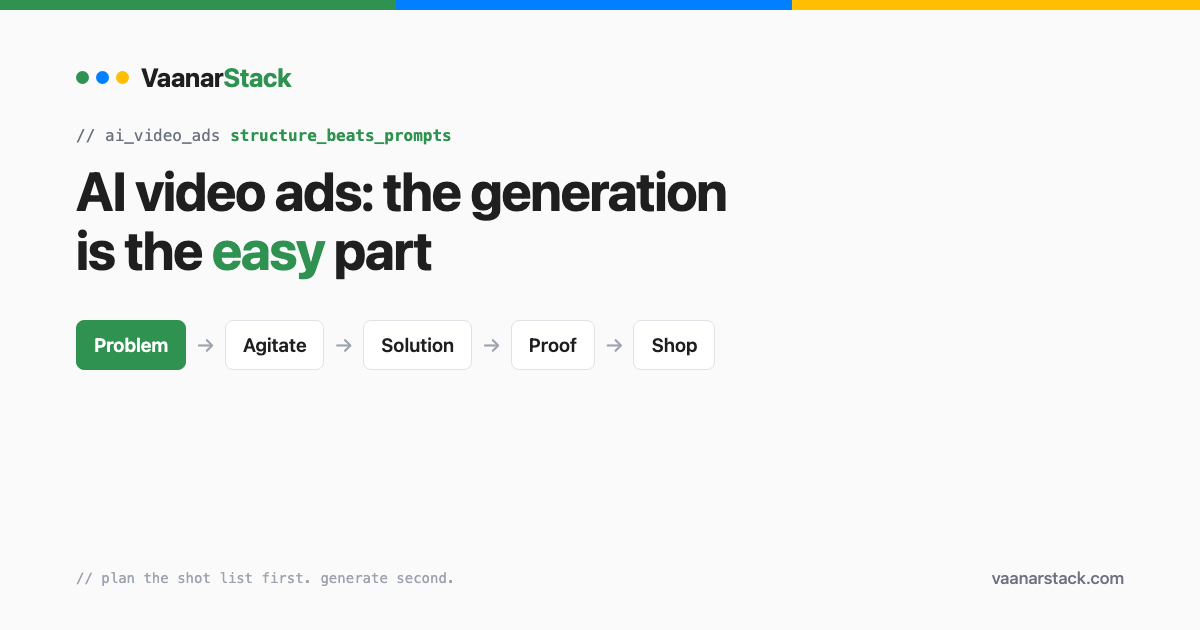
The generation is the easy part. A converting AI video ad is a scripted sequence — problem, agitate, solution, proof, shop — where AI fills specific shots inside a structure you decided in advance. It is not one prompt that returns an ad. Plan the shot list first, generate second, and the tools stop being the hard bit.
Most step-by-step guides to AI video ads get this backwards: they open with prompt tricks and treat structure as an afterthought. That ordering is why so much AI creative looks impressive for three seconds and sells nothing.
Can you make an ad straight from a product page URL?
Yes, and it is the right starting point — not because it is clever, but because the page already contains the assets and claims the ad needs.
What to pull off the page
The real product images, the brand's actual palette and type, the claims the brand already makes, and the price and offer. Everything an ad needs to be on-brand is normally sitting on the product page.
Why a generated product shot loses to the real packshot
This is the single most common own-goal. A generated image of a product is approximately the product: the label is subtly wrong, the cap is the wrong shape, the packaging text is unreadable. Anyone who has seen the real thing clocks it instantly, and it reads as counterfeit rather than creative. Use AI for the environment — the kitchen, the gym, the hands, the light — and composite the real packshot on top. Never let a model draw the product.
The script structure that converts
This is the spine of the whole thing, and it is worth being rigid about. Five beats, in order:
| Beat | Seconds | What is on screen | Who generates it |
|---|---|---|---|
| Problem | 0–3 | The situation the viewer recognises | AI b-roll |
| Agitate | 3–8 | Why it keeps happening | AI b-roll |
| Solution | 8–16 | The product, real packshot | Real asset |
| Proof | 16–26 | Claim, review, ingredient, result | Real asset + text |
| Shop | 26–32 | Offer and CTA | Text card |
The reason to write this down before generating anything is that it converts an open-ended creative problem into five small, specific ones. "Make me an ad" produces mush. "Generate a three-second shot of a cluttered bathroom counter, morning light, no product visible" produces a usable clip.
The first three seconds are a separate problem
The opening beat is not just the first fifth of the ad; it decides whether the rest is watched at all. We treat it as its own build with its own measurement — see hook rate and hold rate for how to tell whether an opening is working or whether the body is what is losing people.
Where a synthetic narrator helps, and where a founder beats it
A synthetic narrator is fine for category-level explanation and for scaling variations. A founder on camera beats it whenever the ad depends on trust — a strong claim, a sensitive category, a new brand nobody has heard of. If the ad is essentially "believe me", use a real person.
What prompts actually work for AI video ads?
Prompt the shot, not the ad
Every prompt should describe one shot: subject, environment, camera move, light, duration, and explicitly what must not be in frame. The most useful line in most of our prompts is the exclusion — "no product visible", "no text", "no faces" — because the default output tries to be a whole advert and gives you something unusable.
Lock the shot timings before you generate anything
Decide each shot's duration in the storyboard, then generate to it. This sounds fussy and it is the difference between an assembly that cuts cleanly and one where you are trimming every clip to fit a voiceover that no longer matches.
The five things that break, and how to catch them
All five of these are ours, hit in production, and every one shipped before we noticed.
| Symptom | Cause | Fix |
|---|---|---|
| The clip is longer than you asked for | Generators pad the tail — we locked 32.5s and got 34.3s | Trim to the storyboard, do not adjust the storyboard |
| Lip-sync refuses the file | The video has no audio track at all | Add a silent audio track before submitting |
| Playback reads as lag | 24fps source dropped into a 30fps timeline duplicates frames | Keep the whole timeline at the source frame rate |
| The ad is silent on iPhone | Exported 96kHz mono — Apple and Safari play nothing | Export 48kHz stereo AAC, and probe the file to confirm |
| Nobody can read the on-screen text | Type sized on a desktop preview | 36pt floor, checked on a composited frame at phone size |
The silent-on-iPhone one is worth dwelling on, because it fails invisibly. The file plays perfectly on the machine that made it. It plays perfectly in most desktop browsers. On an iPhone it is mute, which is where most of your audience is.
What aspect ratio do I need — 9:16, 1:1 or 4:5?
Build 9:16 and 4:5. Skip 1:1.
| Ratio | Placements it serves | Build it? |
|---|---|---|
| 9:16 | Reels, Stories, and every full-screen surface | Yes — always |
| 4:5 | Feed, where it takes the most vertical space allowed | Yes — always |
| 1:1 | Nothing exclusively; feed prefers 4:5 | Only for an external requirement |
Keep all on-screen text inside the safe zone for the tallest ratio, or captions get overlapped by interface chrome on Reels.
Are AI video ads good enough to run on Meta?
Technically, yes — the platform judges the ad, not the tooling. The question worth asking instead is whether the messaging holds up to a consumer.
That is where AI creative usually fails, and it has nothing to do with rendering quality. The failure is a beautiful shot attached to a claim the brand cannot support, or a scene that does not match how the product is actually used, or a tone that reads as generic because it was written to please a model rather than a buyer. A viewer will forgive an imperfect frame. They will not forgive an ad that clearly does not know what it is selling or to whom.
Practical test before shipping: mute it and watch. If a stranger cannot tell what the product is, who it is for, and why they should care, the problem is the messaging, not the generator. Then unmute and ask whether a real customer would say any of those sentences.
Policies on synthetic media do change, so check the platform's current advertising standards for your market before running at scale rather than relying on what a guide said last quarter.
The step-by-step build, end to end
- Take the product URL. Pull the real images, brand, claims and offer.
- Write the five beats and lock each shot's duration. This is the approval gate — nothing generates until the storyboard is signed off.
- Generate only the b-roll shots, one prompt per shot, with explicit exclusions.
- Composite the real packshot over the generated environment.
- Add the narrator, then captions.
- Export 9:16 and 4:5 at 48kHz stereo, and check a composited frame at phone size.
The approval gate at step two is what keeps the cost down. Generation is the only expensive step, and every second you generate before the structure is settled is a second you will regenerate.
FAQ
Do AI video ads perform worse than filmed ones?
Not inherently. They perform worse when the structure is missing, which is the common case because AI makes it so cheap to skip straight to generating. A scripted AI ad with a real packshot and a clear offer competes fine; an unstructured one loses to a phone video shot in a kitchen.
What is the best free AI video ad generator?
The generator matters far less than the structure feeding it. Free tiers are genuinely usable for b-roll, since that is the part where approximate is acceptable. What you should not do on any tier, free or paid, is let the model generate the product itself.
How long should a Meta video ad be?
Long enough to complete the five beats and no longer — around 30 seconds is a workable default for a direct-response product ad. Length is not the lever people think it is; the first three seconds decide most of the outcome.
What aspect ratio do I need - 9:16, 1:1 or 4:5?
9:16 and 4:5. Square serves no placement exclusively, and the feed prefers 4:5 because it occupies more vertical space. Build square only when something outside Meta requires it.
Will Meta reject AI-generated creative?
Not for being AI-generated as such — ads are judged on the ad. Rejections in practice come from the claim, the category or the landing page rather than the production method. Standards on synthetic media do evolve, so check the current advertising policies for your market before scaling.
Do I need to disclose that an ad is AI-generated?
Requirements differ by platform and by market and they have been changing, so treat this as something to verify rather than assume. The safer instinct commercially is that anything which could mislead a consumer about the product itself — what it looks like, what it does, who is endorsing it — is a problem regardless of what disclosure rules say.
How many variations should I test?
Enough to test one variable at a time. The structure makes this cheap: keep the five beats fixed and swap only the opening shot, or only the proof beat. Regenerating an entire ad per variant tells you nothing about which change mattered.
If you would rather see the finished thing than build it, our free Meta ads audit covers creative alongside the account, and creative fatigue detection covers when to replace an ad that is working today.
