Meta Error #1870194: Why Your Ad Set Won't Publish
What does Meta error #1870194 mean?
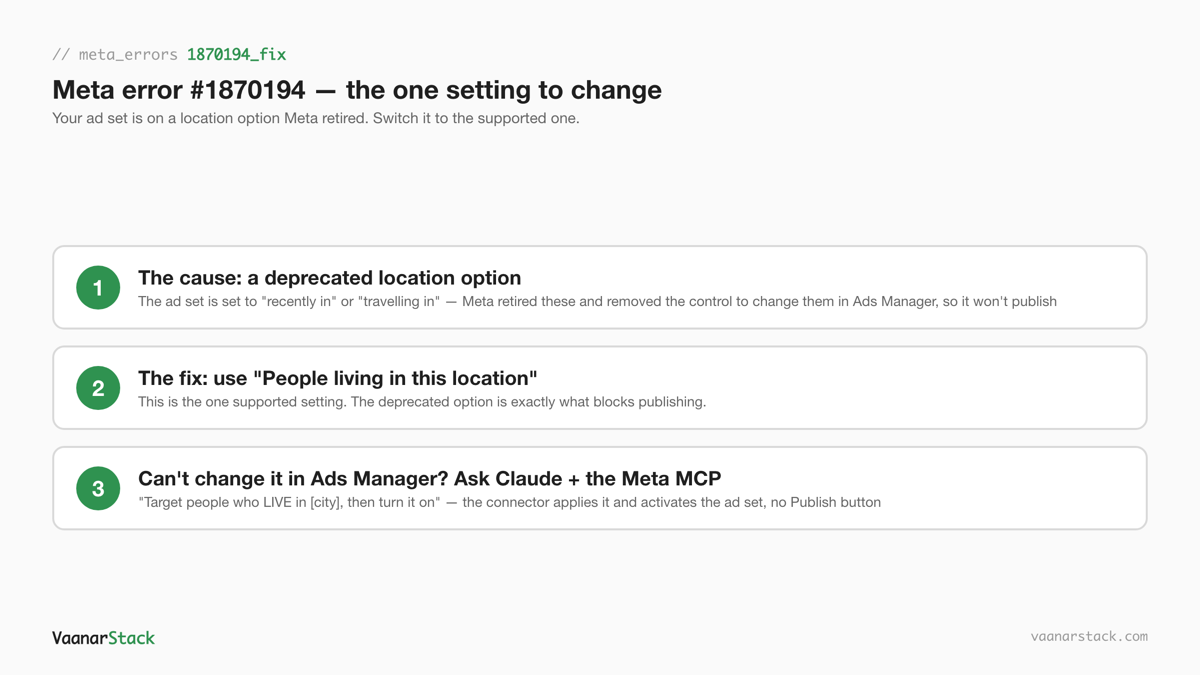
Meta error #1870194 means your ad set won't publish because it's carrying a location option Meta has retired — the old "People recently in this location" or "People travelling in this location." Somewhere along the way, when the ad set was built or edited, that outdated option got applied. Meta has since removed the control in Ads Manager that used to change it, so the draft is now stuck: hit Publish and it just fails again on the same retired option. The fix is to switch the ad set to the supported option, "People living in this location." Because Ads Manager can't do that anymore, you do it by asking Claude — with the Meta Ads connector — to set the ad set to target people who live in your location and turn it on. Below is exactly how.
Why the ad set is permanently stuck
This isn't a bug in your campaign, and it isn't your fault. It's a mismatch between an old setting and an Ads Manager that no longer lets you touch it. Two things have to be true at once for a Meta ad set to get stuck on #1870194, and both are true here.
The retired location option (recently in / travelling in)
Every Meta ad set has a setting that decides which people in a place you reach. Meta used to offer three flavours: people who live there, people recently in the area, and people travelling through. It has since retired the "recently in" and "travelling in" choices — the only supported one now is "People living in this location." (Under the hood, Meta calls this the ad set's "location type," but you never have to touch that directly.) When the Meta Ads connector builds or edits an ad set, it can end up applying one of those retired options. An ad set still carrying "recently in" or "travelling in" is submitting a choice Meta will no longer accept — and that is what throws #1870194.
The Ads Manager option that used to fix it is gone
There used to be a dropdown in Ads Manager where you could flip the ad set back to "People living in this location" and republish. Meta removed that control. So the ad set is holding a choice you can no longer see or change in the interface, and every time you press Publish it sends the same retired option straight back. That is why the draft is permanently stuck: Ads Manager has no lever left to change the one setting that's blocking it. This is why the Meta ad set won't publish no matter how many times you click.
The fix — the exact steps
You are not going to fix this by fighting the Publish button. You fix it by switching the ad set to the supported location option — "People living in this location" — and turning the ad set on. Since Ads Manager can't make that switch anymore, you ask Claude, with the Meta Ads connector, to do it for you.
1. Switch to "People living in this location"
The whole error comes down to one setting. The retired "recently in / travelling in" option is what blocks publishing; "People living in this location" is the supported choice Meta accepts. That switch is both the fix now and the thing that stops it happening again. Everything below is just how you make the switch when the interface won't let you.
2. Ask Claude to apply it — not the Publish button
Because you can't change this in Ads Manager, you ask Claude — with the Meta Ads connector turned on — to set the ad set's location to people who live in your target area, and to turn the ad set on. In plain English, that's a message like: "Set this ad set to target people who LIVE in Delhi, then turn it on." The connector applies the correct "living in" option and switches the ad set on directly — it never goes through the stuck Publish button, so the retired-option check that keeps rejecting your draft never runs. Ask Claude to turn on the individual ads as well: an ad set that's on but whose ads are still off won't actually deliver, so both need to be live.
3. Change cities through Claude too — editing Locations in Ads Manager re-breaks it
Here's the trap that catches people who think they've fixed it. If you later open the Locations field in Ads Manager to swap a city, the interface quietly re-applies the retired option on save, and #1870194 comes straight back. So once you're out of it, do all future location changes — adding a city, removing one, adjusting the radius — by asking Claude too, always phrased as "people who live in [city]." Touch the Locations field in Ads Manager and you're back where you started.
The whole recovery, in order:
- Decide the ad set should target people who live in your location.
- Ask Claude, with the Meta Ads connector, to set it to "people who live in [your location]."
- Ask Claude to turn on the ad set and each of its ads.
How to avoid it in the first place
This error is entirely preventable. It only shows up when an ad set ends up carrying one of the retired location options.
Always say "people who LIVE in [city]"
Whenever you set up location targeting through Claude and the Meta Ads connector, spell it out: "target people who live in Mumbai," not just "target Mumbai." That single word steers the connector to the supported "living in" option from the start, so the retired choice never gets applied and #1870194 never has a chance to appear.
Don't rely on the Ads Manager Publish button for connector-built ad sets
If an ad set was created or edited through the Meta Ads connector, treat the Ads Manager Publish button as unreliable for it. The interface can re-apply retired options and stall on a check the connector doesn't run. For connector-built ad sets, have Claude turn them on for you, then open Ads Manager just to confirm they went live — don't route the publish through the interface and assume it went clean.
How this fits the other Meta location errors
Location is where a surprising share of Meta ad-set failures live, and they show up in different ways. It helps to know which one you actually have:
- Wrong location targeting — you asked for Delhi and got somewhere else entirely. That's a targeting-accuracy problem, covered in location targeting not working.
- Audience reads empty — the ad set saves, but the estimated audience size shows zero or near-zero. That's a size problem, not a publish block.
- #1870194 — the ad set is fine but won't publish, because of the retired location option. That's this post: a publish blocker, not a targeting error.
If you're new to running Meta this way, the Meta Ads MCP pillar covers what the connector can and can't do, and creating a Meta campaign with Claude walks the build from scratch — where saying "people who live in [city]" the first time saves you this whole detour.
We fix exactly this class of stuck ad set, and the location errors around it, as part of a Meta ads audit.
Frequently asked questions
What does Meta error 1870194 mean?
It means your ad set won't publish because it's carrying a location option Meta has retired — the old "People recently in this location" or "People travelling in this location." Meta removed the Ads Manager control that changed it, so pressing Publish keeps failing on the same retired option. The fix is to switch it to "People living in this location."
Why won't my ad set publish?
Because it's holding a location option Meta no longer accepts, and the Publish button keeps resending it. Clicking Publish again won't help — it fails on the same setting every time. Ask Claude, with the Meta Ads connector, to set the ad set to target people who live in your location and turn it on; the connector applies the supported option without going through the stuck Publish button.
Why is the location option missing in Ads Manager?
Meta removed the control that used to switch an ad set between "living in," "recently in," and "travelling in." The setting still exists on the ad set — you just can no longer change it in the interface, which is why an ad set stuck on a retired option can't be corrected inside Ads Manager anymore.
How do I fix a stuck ad set with a retired location option?
Switch it to "People living in this location." Since Ads Manager can't make that change now, ask Claude — with the Meta Ads connector — to set the ad set to target people who live in your area and turn the ad set and its ads on. The connector applies the correct option and activates the ad set directly, which the stuck Publish button can't do. From then on, make city changes through Claude too and always say "people who live in [city]," or the interface re-applies the retired option and the error returns.
FAQ
What does Meta error 1870194 mean?
It means your ad set won't publish because it's carrying a location option Meta has retired - the old "People recently in this location" or "People travelling in this location." Meta removed the Ads Manager control that changed it, so pressing Publish keeps failing on the same retired option. The fix is to switch it to "People living in this location."
Why won't my ad set publish?
Because it's holding a location option Meta no longer accepts, and the Publish button keeps resending it. Clicking Publish again won't help - it fails on the same setting every time. Ask Claude, with the Meta Ads connector, to set the ad set to target people who live in your location and turn it on; the connector applies the supported option without going through the stuck Publish button.
Why is the location option missing in Ads Manager?
Meta removed the control that used to switch an ad set between "living in," "recently in," and "travelling in." The setting still exists on the ad set - you just can no longer change it in the interface, which is why an ad set stuck on a retired option can't be corrected inside Ads Manager anymore.
How do I fix a stuck ad set with a retired location option?
Switch it to "People living in this location." Since Ads Manager can't make that change now, ask Claude - with the Meta Ads connector - to set the ad set to target people who live in your area and turn the ad set and its ads on. The connector applies the correct option and activates the ad set directly, which the stuck Publish button can't do. From then on, make city changes through Claude too and always say "people who live in [city]," or the interface re-applies the retired option and the error returns.
